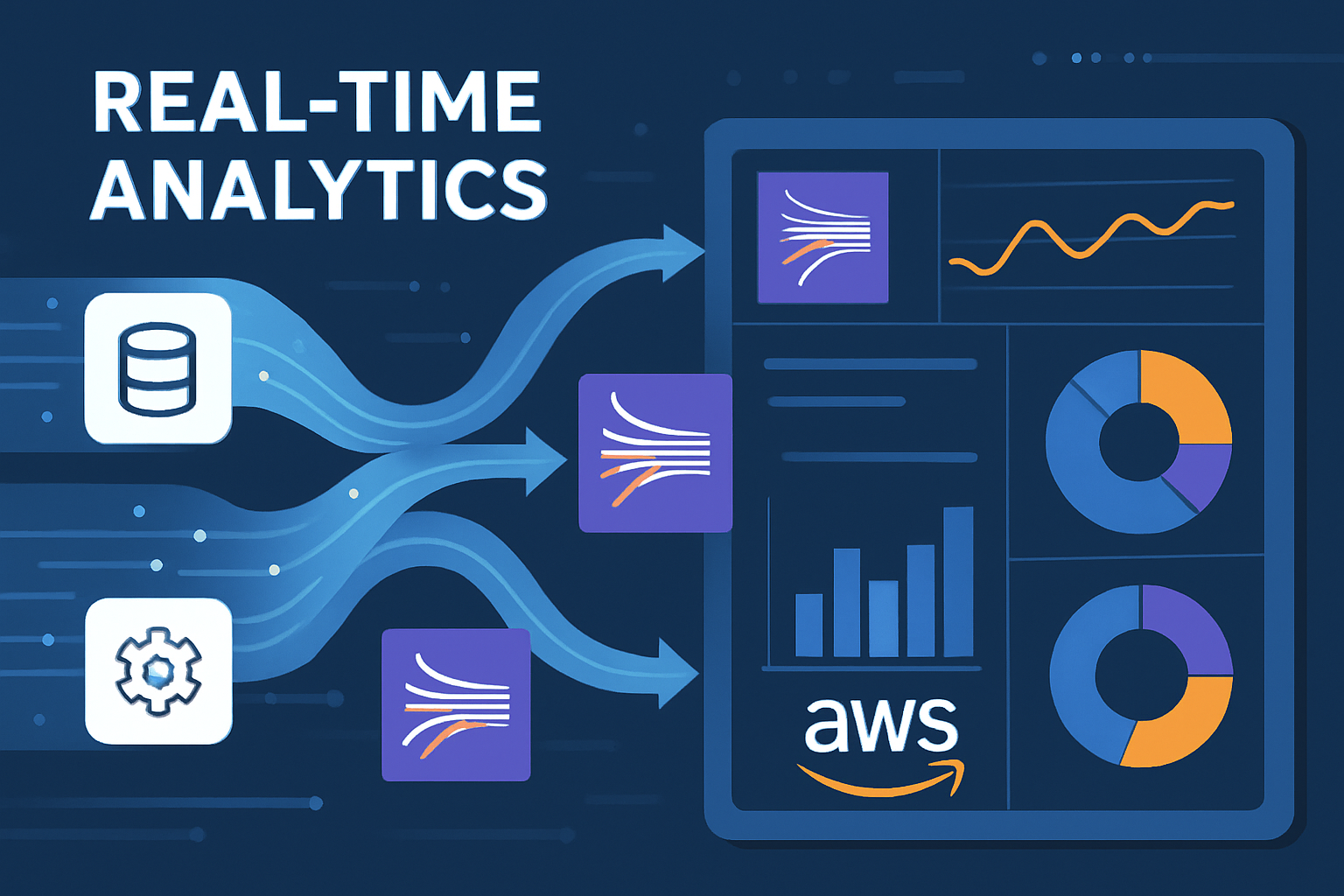
Building Real-Time Analytics Pipelines with AWS: From Streaming to Insights
A deep dive into architecting real-time analytics solutions using AWS services like Kinesis, Lambda, and QuickSight for immediate business insights.
Building Real-Time Analytics Pipelines with AWS: From Streaming to Insights
In today's fast-paced business environment, the ability to process and analyze data in real-time has become a competitive advantage. Organizations need to respond to events as they happen, whether it's detecting fraud, personalizing user experiences, or optimizing operations. Having built numerous real-time analytics solutions on AWS, I want to share practical insights on architecting these systems for scale and reliability.
The Real-Time Analytics Landscape
Real-time analytics differs fundamentally from traditional batch processing:
- Latency requirements: Milliseconds to seconds vs. hours or days
- Data volumes: Continuous streams vs. discrete batches
- Processing patterns: Event-driven vs. scheduled
- Fault tolerance: Must handle failures gracefully without data loss
The challenge is building systems that can handle high-velocity data while maintaining accuracy and providing actionable insights.
AWS Services for Real-Time Analytics
Let's explore the key AWS services that form the backbone of real-time analytics:
Amazon Kinesis: The Streaming Foundation
Kinesis provides multiple services for different streaming needs:
Kinesis Data Streams
For high-throughput, low-latency streaming:
import boto3
import json
from datetime import datetime

kinesis = boto3.client('kinesis')

def publish_event(stream_name, event_data):
    """
    Publish event to Kinesis Data Stream
    """
    record = {
        'Data': json.dumps({
            'timestamp': datetime.utcnow().isoformat(),
            'event_type': event_data['type'],
            'user_id': event_data['user_id'],
            'properties': event_data['properties']
        }),
        'PartitionKey': event_data['user_id']
    }

    response = kinesis.put_record(
        StreamName=stream_name,
        **record
    )

    return response['SequenceNumber']

# Example usage
event = {
    'type': 'page_view',
    'user_id': 'user_12345',
    'properties': {
        'page': '/product/abc',
        'referrer': 'google.com',
        'session_id': 'session_67890'
    }
}

sequence_number = publish_event('user-events-stream', event)
Kinesis Data Firehose
For simplified delivery to data stores:
# CloudFormation template for Firehose
Resources:
  UserEventsFirehose:
    Type: AWS::KinesisFirehose::DeliveryStream
    Properties:
      DeliveryStreamName: user-events-firehose
      DeliveryStreamType: DirectPut
      S3DestinationConfiguration:
        BucketARN: !GetAtt DataLakeBucket.Arn
        Prefix: "events/year=!{timestamp:yyyy}/month=!{timestamp:MM}/day=!{timestamp:dd}/hour=!{timestamp:HH}/"
        ErrorOutputPrefix: "errors/"
        BufferingHints:
          SizeInMBs: 5
          IntervalInSeconds: 300
        CompressionFormat: GZIP
        DataFormatConversionConfiguration:
          Enabled: true
          OutputFormatConfiguration:
            Serializer:
              ParquetSerDe: {}
Kinesis Analytics
For real-time stream processing:
-- Real-time aggregation query
CREATE OR REPLACE STREAM "DESTINATION_SQL_STREAM" (
    user_id VARCHAR(32),
    page_views_per_minute INTEGER,
    unique_pages_visited INTEGER,
    session_duration_seconds INTEGER
);

CREATE OR REPLACE PUMP "STREAM_PUMP" AS INSERT INTO "DESTINATION_SQL_STREAM"
SELECT STREAM
    user_id,
    COUNT(*) as page_views_per_minute,
    COUNT(DISTINCT page) as unique_pages_visited,
    MAX(ROWTIME_TO_TIMESTAMP(ROWTIME)) - MIN(ROWTIME_TO_TIMESTAMP(ROWTIME)) as session_duration_seconds
FROM "SOURCE_SQL_STREAM_001"
WHERE event_type = 'page_view'
GROUP BY user_id, RANGE(ROWTIME RANGE INTERVAL '1' MINUTE);
AWS Lambda: Event-Driven Processing
Lambda functions provide serverless compute for stream processing:
import json
import boto3
import base64
from decimal import Decimal

dynamodb = boto3.resource('dynamodb')
table = dynamodb.Table('user-analytics')

def lambda_handler(event, context):
    """
    Process Kinesis records and update user analytics
    """
    for record in event['Records']:
        # Decode Kinesis data
        payload = json.loads(base64.b64decode(record['kinesis']['data']))

        # Process the event
        process_user_event(payload)

    return {'statusCode': 200, 'body': 'Processed successfully'}

def process_user_event(event):
    """
    Update user analytics based on event
    """
    user_id = event['user_id']
    event_type = event['event_type']
    timestamp = event['timestamp']

    # Update user session data
    response = table.update_item(
        Key={'user_id': user_id},
        UpdateExpression="""
            SET last_activity = :timestamp,
                total_events = if_not_exists(total_events, :zero) + :one,
                events_by_type.#event_type = if_not_exists(events_by_type.#event_type, :zero) + :one
        """,
        ExpressionAttributeNames={
            '#event_type': event_type
        },
        ExpressionAttributeValues={
            ':timestamp': timestamp,
            ':zero': 0,
            ':one': 1
        },
        ReturnValues='UPDATED_NEW'
    )

    # Check for real-time alerts
    check_real_time_alerts(user_id, event)

def check_real_time_alerts(user_id, event):
    """
    Check if event triggers any real-time alerts
    """
    # Example: High-value transaction alert
    if event['event_type'] == 'purchase' and event['properties']['amount'] > 1000:
        send_alert('high_value_transaction', {
            'user_id': user_id,
            'amount': event['properties']['amount'],
            'timestamp': event['timestamp']
        })

def send_alert(alert_type, data):
    """
    Send real-time alert via SNS
    """
    sns = boto3.client('sns')
    sns.publish(
        TopicArn='arn:aws:sns:us-east-1:123456789012:real-time-alerts',
        Message=json.dumps(data),
        Subject=f'Real-time Alert: {alert_type}'
    )
Real-World Implementation: E-commerce Analytics
Let me share a comprehensive real-time analytics solution I built for an e-commerce client:
Business Requirements
- Real-time personalization: Product recommendations based on current session
- Fraud detection: Identify suspicious transactions immediately
- Inventory optimization: Real-time stock level monitoring
- Customer experience: Live chat prioritization based on user behavior
Architecture Overview
┌─────────────────┐    ┌──────────────┐    ┌─────────────────┐
│   Web/Mobile    │───▶│   Kinesis    │───▶│     Lambda      │
│   Applications  │    │   Streams    │    │   Processing    │
└─────────────────┘    └──────────────┘    └─────────────────┘
         │                       │                    │
         │                       ▼                    ▼
         │              ┌──────────────┐    ┌─────────────────┐
         │              │   Kinesis    │    │   DynamoDB      │
         │              │   Firehose   │    │   Real-time     │
         │              └──────────────┘    │   Store         │
         │                       │          └─────────────────┘
         ▼                       ▼                    │
┌─────────────────┐    ┌──────────────┐              │
│   CloudFront    │    │      S3      │              │
│   Real-time     │    │   Data Lake  │              │
│   Responses     │    └──────────────┘              │
└─────────────────┘             │                    │
         ▲                      ▼                    │
         │              ┌──────────────┐              │
         │              │    Athena    │              │
         │              │   Analytics  │              │
         │              └──────────────┘              │
         │                       │                    │
         │                       ▼                    │
         │              ┌──────────────┐              │
         └──────────────│  QuickSight  │◀─────────────┘
                        │  Dashboards  │
                        └──────────────┘
Implementation Details
1. Event Collection and Streaming
// Client-side event tracking
class EventTracker {
    constructor(streamEndpoint, apiKey) {
        this.endpoint = streamEndpoint;
        this.apiKey = apiKey;
        this.sessionId = this.generateSessionId();
        this.userId = this.getUserId();
    }

    trackEvent(eventType, properties = {}) {
        const event = {
            timestamp: new Date().toISOString(),
            session_id: this.sessionId,
            user_id: this.userId,
            event_type: eventType,
            properties: {
                ...properties,
                page_url: window.location.href,
                user_agent: navigator.userAgent,
                referrer: document.referrer
            }
        };

        this.sendEvent(event);
    }

    async sendEvent(event) {
        try {
            await fetch(this.endpoint, {
                method: 'POST',
                headers: {
                    'Content-Type': 'application/json',
                    'Authorization': `Bearer ${this.apiKey}`
                },
                body: JSON.stringify(event)
            });
        } catch (error) {
            console.error('Failed to send event:', error);
            // Implement retry logic or local storage fallback
        }
    }
}

// Usage examples
const tracker = new EventTracker('/api/events', 'your-api-key');

// Track page views
tracker.trackEvent('page_view', {
    page_type: 'product',
    product_id: 'prod_123',
    category: 'electronics'
});

// Track user interactions
tracker.trackEvent('add_to_cart', {
    product_id: 'prod_123',
    quantity: 2,
    price: 299.99
});
2. Real-Time Processing Pipeline
import json
import boto3
from datetime import datetime, timedelta
import redis

# Initialize AWS clients
dynamodb = boto3.resource('dynamodb')
sns = boto3.client('sns')

# Initialize Redis for real-time state
redis_client = redis.Redis(host='elasticache-endpoint', port=6379, db=0)

def lambda_handler(event, context):
    """
    Main Lambda handler for real-time event processing
    """
    for record in event['Records']:
        try:
            # Parse Kinesis record
            event_data = parse_kinesis_record(record)

            # Process different event types
            if event_data['event_type'] == 'page_view':
                process_page_view(event_data)
            elif event_data['event_type'] == 'add_to_cart':
                process_add_to_cart(event_data)
            elif event_data['event_type'] == 'purchase':
                process_purchase(event_data)

        except Exception as e:
            print(f"Error processing record: {str(e)}")
            # Send to DLQ for later analysis
            send_to_dlq(record, str(e))

    return {'statusCode': 200}

def process_page_view(event):
    """
    Process page view events for real-time personalization
    """
    user_id = event['user_id']
    product_id = event['properties'].get('product_id')

    if product_id:
        # Update user's product affinity in real-time
        update_product_affinity(user_id, product_id)

        # Generate real-time recommendations
        recommendations = generate_recommendations(user_id, product_id)

        # Cache recommendations for immediate retrieval
        cache_recommendations(user_id, recommendations)

def process_purchase(event):
    """
    Process purchase events for fraud detection and inventory updates
    """
    user_id = event['user_id']
    amount = event['properties']['amount']
    items = event['properties']['items']

    # Real-time fraud detection
    fraud_score = calculate_fraud_score(user_id, amount, event)
    if fraud_score > 0.8:
        trigger_fraud_alert(user_id, event, fraud_score)

    # Update inventory in real-time
    for item in items:
        update_inventory(item['product_id'], -item['quantity'])

    # Update user lifetime value
    update_user_ltv(user_id, amount)

def calculate_fraud_score(user_id, amount, event):
    """
    Real-time fraud detection algorithm
    """
    score = 0.0

    # Check transaction amount vs. user history
    user_avg_transaction = get_user_avg_transaction(user_id)
    if amount > user_avg_transaction * 5:
        score += 0.3

    # Check transaction frequency
    recent_transactions = get_recent_transactions(user_id, minutes=10)
    if len(recent_transactions) > 3:
        score += 0.4

    # Check location anomaly
    user_location = event['properties'].get('location')
    if is_location_anomaly(user_id, user_location):
        score += 0.3

    return min(score, 1.0)

def generate_recommendations(user_id, current_product_id):
    """
    Generate real-time product recommendations
    """
    # Get user's recent activity
    recent_activity = get_user_recent_activity(user_id)

    # Get similar products
    similar_products = get_similar_products(current_product_id)

    # Apply collaborative filtering
    recommendations = apply_collaborative_filtering(
        user_id,
        recent_activity,
        similar_products
    )

    return recommendations[:10]  # Top 10 recommendations
3. Real-Time Dashboard and Alerting
# Real-time metrics aggregation
import boto3
from datetime import datetime, timedelta

cloudwatch = boto3.client('cloudwatch')

def publish_real_time_metrics():
    """
    Publish real-time business metrics to CloudWatch
    """
    current_time = datetime.utcnow()

    # Calculate metrics from Redis cache
    active_users = redis_client.scard('active_users')
    current_revenue = redis_client.get('current_hour_revenue') or 0
    cart_abandonment_rate = calculate_cart_abandonment_rate()

    # Publish to CloudWatch
    metrics = [
        {
            'MetricName': 'ActiveUsers',
            'Value': active_users,
            'Unit': 'Count',
            'Timestamp': current_time
        },
        {
            'MetricName': 'HourlyRevenue',
            'Value': float(current_revenue),
            'Unit': 'None',
            'Timestamp': current_time
        },
        {
            'MetricName': 'CartAbandonmentRate',
            'Value': cart_abandonment_rate,
            'Unit': 'Percent',
            'Timestamp': current_time
        }
    ]

    cloudwatch.put_metric_data(
        Namespace='ECommerce/RealTime',
        MetricData=metrics
    )

# QuickSight dashboard configuration
def create_realtime_dashboard():
    """
    Create QuickSight dashboard for real-time analytics
    """
    quicksight = boto3.client('quicksight')

    dashboard_definition = {
        'DataSetIdentifierDeclarations': [
            {
                'DataSetIdentifier': 'real-time-metrics',
                'DataSetArn': 'arn:aws:quicksight:us-east-1:123456789012:dataset/real-time-metrics'
            }
        ],
        'Sheets': [
            {
                'SheetId': 'real-time-overview',
                'Name': 'Real-Time Overview',
                'Visuals': [
                    {
                        'LineChartVisual': {
                            'VisualId': 'active-users-trend',
                            'Title': {'Visibility': 'VISIBLE', 'Text': 'Active Users (Last Hour)'},
                            'FieldWells': {
                                'LineChartAggregatedFieldWells': {
                                    'Category': [{'DateDimensionField': {'FieldId': 'timestamp'}}],
                                    'Values': [{'NumericalMeasureField': {'FieldId': 'active_users'}}]
                                }
                            }
                        }
                    }
                ]
            }
        ]
    }

    return dashboard_definition
Performance Optimization Strategies
1. Partitioning and Sharding
def calculate_partition_key(user_id, event_type):
    """
    Calculate optimal partition key for even distribution
    """
    # Combine user_id hash with event_type for better distribution
    import hashlib

    hash_input = f"{user_id}:{event_type}"
    hash_value = hashlib.md5(hash_input.encode()).hexdigest()

    # Use first 8 characters for partition key
    return hash_value[:8]

def publish_to_kinesis_optimized(stream_name, events):
    """
    Optimized batch publishing to Kinesis
    """
    records = []

    for event in events:
        partition_key = calculate_partition_key(
            event['user_id'],
            event['event_type']
        )

        records.append({
            'Data': json.dumps(event),
            'PartitionKey': partition_key
        })

    # Batch publish for better throughput
    response = kinesis.put_records(
        StreamName=stream_name,
        Records=records
    )

    return response
2. Caching Strategy
import redis
import json
from datetime import timedelta

class RealTimeCache:
    def __init__(self, redis_host, redis_port=6379):
        self.redis_client = redis.Redis(host=redis_host, port=redis_port, db=0)

    def cache_user_session(self, user_id, session_data, ttl_minutes=30):
        """
        Cache user session data with TTL
        """
        key = f"session:{user_id}"
        self.redis_client.setex(
            key,
            timedelta(minutes=ttl_minutes),
            json.dumps(session_data)
        )

    def get_user_recommendations(self, user_id):
        """
        Get cached recommendations for user
        """
        key = f"recommendations:{user_id}"
        cached_data = self.redis_client.get(key)

        if cached_data:
            return json.loads(cached_data)
        return None

    def update_real_time_counter(self, metric_name, increment=1):
        """
        Update real-time counters
        """
        current_hour = datetime.utcnow().strftime('%Y%m%d%H')
        key = f"counter:{metric_name}:{current_hour}"

        return self.redis_client.incr(key, increment)
Monitoring and Alerting
CloudWatch Alarms for Real-Time Systems
# CloudFormation template for monitoring
Resources:
  HighLatencyAlarm:
    Type: AWS::CloudWatch::Alarm
    Properties:
      AlarmName: RealTimeProcessing-HighLatency
      AlarmDescription: Alert when processing latency is high
      MetricName: Duration
      Namespace: AWS/Lambda
      Statistic: Average
      Period: 60
      EvaluationPeriods: 2
      Threshold: 5000  # 5 seconds
      ComparisonOperator: GreaterThanThreshold
      AlarmActions:
        - !Ref AlertTopic

  ErrorRateAlarm:
    Type: AWS::CloudWatch::Alarm
    Properties:
      AlarmName: RealTimeProcessing-ErrorRate
      AlarmDescription: Alert when error rate is high
      MetricName: Errors
      Namespace: AWS/Lambda
      Statistic: Sum
      Period: 300
      EvaluationPeriods: 1
      Threshold: 10
      ComparisonOperator: GreaterThanThreshold
      AlarmActions:
        - !Ref AlertTopic
Cost Optimization
1. Right-Sizing Kinesis Streams
def calculate_optimal_shard_count(events_per_second, avg_record_size_kb):
    """
    Calculate optimal number of shards for Kinesis stream
    """
    # Kinesis limits: 1000 records/sec or 1MB/sec per shard
    records_per_shard = 1000
    mb_per_shard = 1024  # KB

    shards_for_records = math.ceil(events_per_second / records_per_shard)
    shards_for_throughput = math.ceil(
        (events_per_second * avg_record_size_kb) / mb_per_shard
    )

    return max(shards_for_records, shards_for_throughput)

# Example calculation
optimal_shards = calculate_optimal_shard_count(
    events_per_second=5000,
    avg_record_size_kb=2
)
print(f"Recommended shard count: {optimal_shards}")
2. Lambda Cost Optimization
# Optimize Lambda memory allocation based on processing requirements
def optimize_lambda_memory():
    """
    Monitor and optimize Lambda memory allocation
    """
    cloudwatch = boto3.client('cloudwatch')

    # Get memory utilization metrics
    response = cloudwatch.get_metric_statistics(
        Namespace='AWS/Lambda',
        MetricName='MemoryUtilization',
        Dimensions=[
            {'Name': 'FunctionName', 'Value': 'real-time-processor'}
        ],
        StartTime=datetime.utcnow() - timedelta(days=7),
        EndTime=datetime.utcnow(),
        Period=3600,
        Statistics=['Average', 'Maximum']
    )

    # Analyze and recommend optimal memory setting
    avg_utilization = sum(point['Average'] for point in response['Datapoints']) / len(response['Datapoints'])

    if avg_utilization < 50:
        print("Consider reducing Lambda memory allocation")
    elif avg_utilization > 80:
        print("Consider increasing Lambda memory allocation")
Best Practices and Lessons Learned
1. Design for Failure
Real-time systems must handle failures gracefully:
- Dead Letter Queues: For failed message processing
- Circuit Breakers: To prevent cascade failures
- Graceful Degradation: Fallback to cached or approximate data
- Monitoring: Comprehensive alerting for all failure modes
2. Data Quality in Real-Time
Maintaining data quality in streaming systems:
def validate_event_schema(event):
    """
    Validate incoming event against schema
    """
    required_fields = ['timestamp', 'user_id', 'event_type']

    for field in required_fields:
        if field not in event:
            raise ValueError(f"Missing required field: {field}")

    # Validate data types
    if not isinstance(event['timestamp'], str):
        raise ValueError("Timestamp must be string")

    # Validate business rules
    if event['event_type'] == 'purchase':
        if 'amount' not in event['properties']:
            raise ValueError("Purchase events must include amount")
3. Security Considerations
- Encryption: Encrypt data in transit and at rest
- Access Control: Use IAM roles and policies
- Data Privacy: Implement PII detection and masking
- Audit Logging: Track all data access and modifications
Future Trends in Real-Time Analytics
1. Edge Computing
Processing data closer to the source:
- AWS IoT Greengrass: Edge computing for IoT devices
- Lambda@Edge: Processing at CloudFront edge locations
- Local processing: Reduced latency and bandwidth
2. Machine Learning Integration
Real-time ML inference:
- SageMaker endpoints: Real-time model serving
- Kinesis Analytics ML: Built-in ML capabilities
- Feature stores: Real-time feature serving
3. Event-Driven Architectures
Microservices communicating through events:
- EventBridge: Serverless event bus
- Step Functions: Workflow orchestration
- Event sourcing: Complete audit trail of changes
Conclusion
Building real-time analytics pipelines requires careful consideration of architecture, performance, cost, and reliability. The key is to start with clear requirements, choose the right AWS services for your use case, and implement robust monitoring and error handling.
Success factors for real-time analytics:
- Clear latency requirements and SLAs
- Proper partitioning and scaling strategies
- Comprehensive monitoring and alerting
- Cost optimization from day one
- Security and compliance by design
Real-time analytics is not just about technology—it's about enabling faster, data-driven decision making that can transform your business.
What real-time analytics challenges are you facing? Have you implemented similar solutions? I'd love to hear about your experiences and discuss specific use cases in the comments.